



SMART CHECK WRITER – V2.0
₱0
6in1 Check Writer wil make your office smart. It has 6 modules in One Software
|
[ PROMOTION ] Say Goodbye to Returned Checks – Try Our Check Writer Free for 7 Days!
admin
|
2025.09.19
|
Votes 0
|
Views 1258
|
|
more.. | ||
|
Are you experiencing returned checks due to human error? With the new memo No. 36687, check writing rules have become much stricter. We offer an effective solution to help you avoid this problem. Our check writer has been sold a lot and received many good reviews from satisfied clients over 350 and counting. It’s available on trusted online platforms like Lazada and Shopee. You can download and try it free for 7 days. If you’re satisfied, simply order through Lazada or Shopee for a safe and hassle-free transaction. Say goodbye to the headache of issuing checks and dealing with returned checks — try it today! Shopee Link: https://shopee.ph/product/52545419/21604746057/ Lazada Link: https://www.lazada.com.ph/products/i4365139486-s26471644861.html?spm=a1zawj.23708326.d_order_item_list_expand_0.1.17951e130glfcp&urlFlag=true&mp=1 Website Link: https://smartoffice.com.ph/product/check-writer-v2/ Youtube Link: https://www.youtube.com/watch?v=M1mUx2U13w4 |
||||
|
[ BENEFITS & FEATURES ] Module #1 - Check Writer - Prevent typographical errors and maintain a complete record of check issuance with comments
admin
|
2025.02.17
|
Votes 0
|
Views 6793
|
|
more.. | ||
|
Benefits & Functions:
|
||||
|
[ BENEFITS & FEATURES ] Module #2 - Petty Cash Management - Record petty cash transactions with receipt attachments & export data in XLS for BIR
admin
|
2025.02.11
|
Votes 0
|
Views 7032
|
|
more.. | ||
|
Benefits & Functions:
|
||||
|
[ BENEFITS & FEATURES ] Module #3 - Bill Management - Prevent missed or duplicate payments for recurring bills and track the complete billing history.
admin
|
2025.02.11
|
Votes 0
|
Views 7153
|
|
more.. | ||
Benefits and Functions:
|
||||
|
[ BENEFITS & FEATURES ] Module #4 - Task Management - Organize employee tasks by category and time, with the process manual file attached
admin
|
2025.02.11
|
Votes 0
|
Views 7107
|
|
more.. | ||
|
Struggling with sudden employee resignations and training new hires? Our Task Management Software ensures smooth operations by:
Train less, work efficiently, and stay productive! |
||||
|
[ BENEFITS & FEATURES ] Module #5 - Data Organizer - Arrange & Store document & files by category and date with explanation comments
admin
|
2025.02.10
|
Votes 0
|
Views 7144
|
|
more.. | ||
|
Struggling with document management and missing files? Our Data and File Organizing Software ensures all files are properly stored, categorized, and easily accessible by:
Stay organized and never miss a report again!
|
||||
|
[ BENEFITS & FEATURES ] Module #6 - Work Tutorial - Record employee task processes as videos and store them for easy and quick endorsement.
admin
|
2025.02.10
|
Votes 0
|
Views 7121
|
|
more.. | ||
|
Simplify employee training with our Tutorial & Task Manual Feature:
|
||||
| 4 |
[ BENEFITS & FEATURES ] why this ling space is too big?
admin
|
2025.02.11
|
Votes 0
|
Views 4394
|
more.. | ||
|
why this line space is too big dkdkdkd |
||||
| 3 |
[ INSTALLATION & ACTIVATION ] How to Activate Smart Check Writer
admin
|
2025.02.11
|
Votes 0
|
Views 7937
|
more.. | ||
Thank you for purchasing our software! To access quick support, register your purchase details at smartoffice.com.ph.If you paid through a third-party app, follow these steps to activate your software:Sign up on our website and enter your activation code. Watch the guide if needed.Provide payment details by selecting your payment method and entering your order number.If you’ve already paid, the total amount will be zero.Once payment is verified, the product key will be available in your Account → Order Page.Download and extract the product key file.Attach the product key file in the software license tab to complete activation.Your software will now be activated, and the expiration date will be shown based on your purchase. |
||||
| 2 |
[ INSTALLATION & ACTIVATION ] How to Download Smart Petty Cash Check Writer
admin
|
2025.02.11
|
Votes 0
|
Views 7911
|
|
more.. | |
Visit smartoffice.com.phSearch for Check WriterClick Check Writer V2Go to the Downloads sectionClick Download Installer of Petty Cash Check WriterLocate the downloaded file in your Downloads folderIf it's a ZIP file, move or copy it to a new directory (e.g., Smart Office Check Writer folder)Right-click the ZIP file and select Extract HereOpen the extracted folder to access the Petty Cash Check Writer software |
||||
| 1 |
[ HOW TO USE ] How to set up your check writer to get ready for printing checks
admin
|
2025.02.11
|
Votes 0
|
Views 8769
|
|
more.. | |
|
Set Up: Go to the "Set Up" tab. Add a bank under "Bank Name List" and save. Add a bank account under "Bank Account List" and save. Add a payee under "Check Payee List" and save. Print a Check: Go to the "Check Management" tab. Hover over the bank account number for the check you want to issue and click "Issue." Fill in the required details and save. Hover over the new entry and click "Print," then click "Print" again to complete. This system streamlines check printing, saving time and ensuring accuracy.
|
6in1 Check Writer wil make your office smart. It has 6 modules in One Software
#1 Check Writer- Avoids Hand Writing Mistakes , Converts Amount in Figures into Words
#2 Pettyr Cash Management-Monitor petty cash transactions, Voucher , Export to xls file
#3 File Organizer- Attach files to directory . Easy to search , Centralized File Storage
#4 Task Management- Monitor & Follow up employe’s task status , To do, Task Schedule
#5 Bill Management – Don’t miss bills, Attach payment proof . Monitor double paid bills
#6 Tutorial Video – Keep your employee’s task as training video for newly hired employee
1. Do you constantly encounter errors while writing cheques manually?
2. Have you spoiled several cheques due to bad handwriting?
This software converts Figures to TEXT automatically.
3. Do you get constant complaints from your payee for rejected cheques from the bank?
4. You don’t know how much balance is left in your chequebook?
5. You don’t know with whom you issued the cheque?
6. Are you unable to track cheque payee and finding it hard to search the history?
We recently launched a new cheque writer that is easily compatible with old cheques. This innovative design is executed in accordance with New Cheque Designs and Specifications by PCHC Advisory.
Please click on the link to know more about the product
Please click on the link to know more about the product
https://backup.smartoffice.com.ph/product/pe
********** You can use any printer as a cheque writer unless your printer support cheque size paper (It depends on the setting of your printer) ***************************
************** Features *****************************************
• Real-time output of expense processing details required for tax.
• It is hard to keep track of the actual person, when, and for what purpose the cheque was issued.
• Can’t figure out how much money is left in the account.
• When a cheque is printed, it is often reprinted because of typos or illegible handwriting. Even if you print a cheque using the Excel program, the settings are often incorrect and you have to print it anyhow.
• We are developing office management related software. Please contact us if you have any requirement : 0917-801-7253
Contact us for any queries
Register or categorized all kinds of tasks on a daily, weekly, and monthly basis.
Every task will be listed and organized properly. Afterwards, current experienced employees create manuals on doing tasks. You can make video tutorials for clear instructions. They are not limited to XLS, DOCS and others.
If by chance the task process is changed, it will automatically update the current date.
If a newly hired employee forgot how to work, he or she can review the task by themselves without the assistance of other office mates.
You can effectively manage time by prioritizing tasks that should be done first.
You can list down instructions on how to do tasks.
You can specify tasks that are assigned to someone.
Quickly displays a short description of the task which may include task credentials for a website or any other account information.
Related products


Field Technician & Employee Report
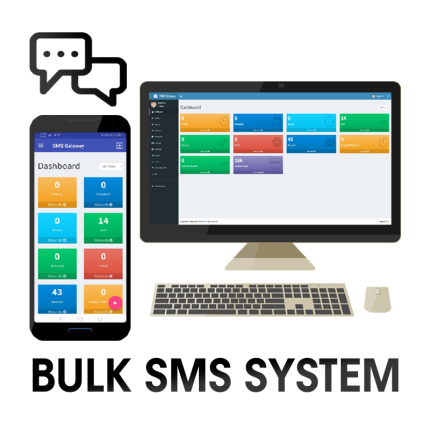
MMS / SMS Text Blaster with Android Phone

Mobile GPS Tracker
- Hard to track your deliveries or employee's location ? You can now monitor all employee's location & path at your phone
- Tracks employee location with time , It provides path based on time as proof of movement
- No need to buy additional GPS gadgets. It uses phone GPS .
- It provides employee app + employor admin app

Production Report
- Collects real-time data with picture, signature and barcode scanning feature using your mobile device.
- Send and receive reports with ease and without limitations as long as you add your mobile device.
- Can be used by various users simultaneously.


